Hi, again. Here it is: Flutterfly Clipping Mask No.1! This freebie is great for clipping a photo or stamped as a journaling block. Try duplicating clipped layers of digital paper and applying different layer settings to each to create custom paper. In PSE4, layer a photo (or paper) directly over the clipping mask layer. Now, with the photo layer selected in the layers pallet, hold Ctrl key and click the g key; this clips the photo. Hold Ctrl key and click e key to merge layers. Experiment & have fun!
Flutterfly Clipping Mask No.1:
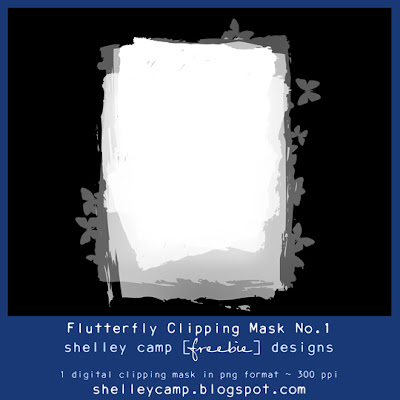
Download link for freebie:
{Link expired}
Enjoy... Shelley



 Posts
Posts


